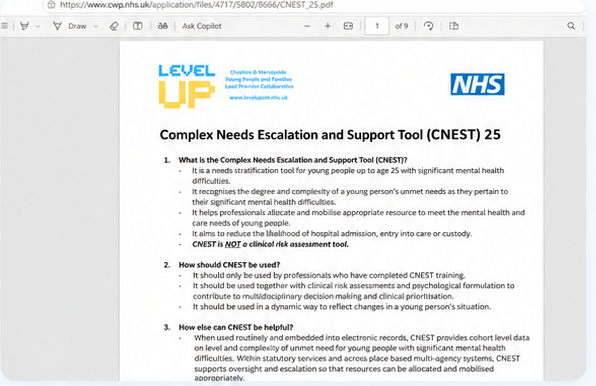

How to access the latest version of CNEST
Quick reference guide for practitioners who have completed CNEST training
Once training has been completed, practitioners can access the latest version of CNEST through the platform. There are two options available: complete CNEST digitally or download the PDF version to print and complete.
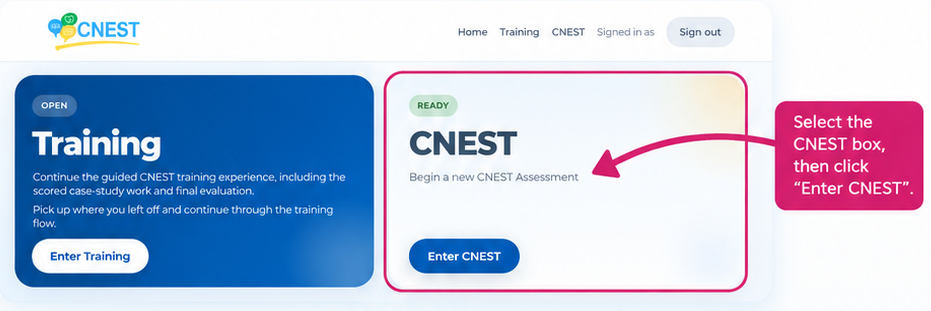
Step 1: Go to the Home Screen
From the Home Screen, select the CNEST box, then select Enter CNEST.
Step 2: Open CNEST Assessments
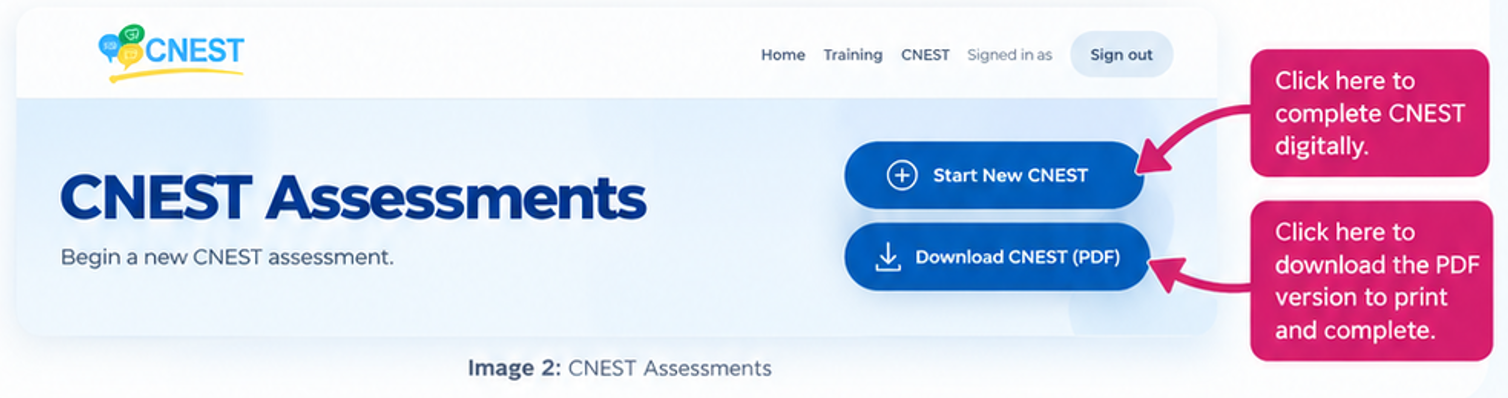
This will take you to the CNEST Assessments page, where you can choose how you want to complete the assessment:
- Start New CNEST to complete the assessment digitally
- Download CNEST (PDF) to download a printable version
Two ways to complete CNEST
Option 1: Complete CNEST digitally
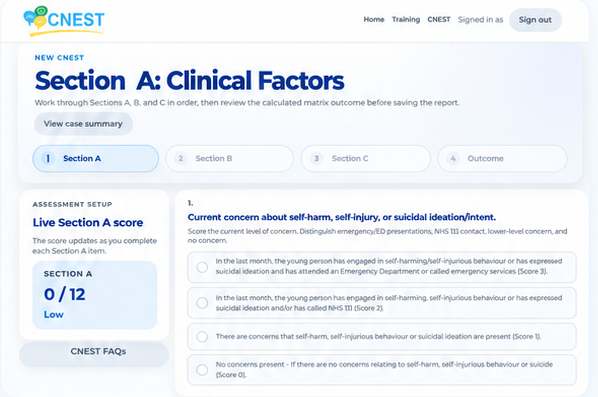
- Select Start New CNEST.
- Complete Sections A, B and C in order.
- Review the calculated outcome before saving the report.
- Use this option when you want to complete CNEST online.
Option 2: Download and print CNEST
- Select Download CNEST (PDF).
- Open the latest PDF version of CNEST.
- Download or print the document.
- Use this option if you want a printable version to complete manually.